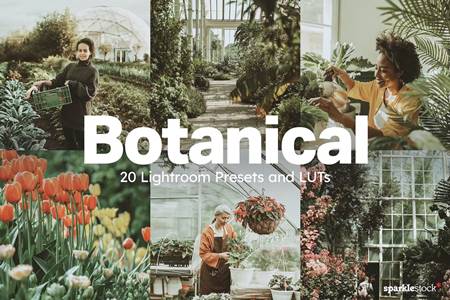
-Give your Photos and Videos a perfect results with only a simple click. All results work differently with each photo and Video .
-Make sure to lower the opacity of the LUT and adjust the contrast, highlights and vibrance of your footage
to fine tune the look to your style.
Compatibility:
– Lightroom 4, 5, 6 and 7(CC) Adobe Photoshop Action Adobe Lightroom Mobile Compatible with both a Mac and PC Work on RAW and JPEG images
– DaVinci Resolve, Adobe Premiere, After Effects, Final Cut, Nuke, Adobe Photoshop, Sony Vegas,
Wondershare Filmora, Avid Media Composer, Assimilate Scratch, Edius, CyberLink ColorDirector.
Mobile & Tablet: Video LUT, VN
Other programs and apps support (.cube) format
INCLUDED:
– 03 Luts for all programs and apps support (.cube) format
– 03 Lightroom Mobile Presets.
– 03 Lightroom Desktop Presets.
– 03 Presets camera raw For photoshop.
– Compatible with both Mac & PC.
– One-click.
So, you’ve taken some amazing photos and shot some fantastic videos, but you’re looking to take your editing skills to the next level? Well, guess what? Cinematic Lightroom Presets and LUTs for Premiere Pro might just be what you need!
What are Cinematic Lightroom Presets and LUTs?
Let’s break it down plain and simple. Cinematic Lightroom Presets are like filters for your photos. They’re pre-set adjustments that you can apply to your images in Adobe Lightroom to give them that cinematic, professional look with just one click. On the other hand, LUTs (Look Up Tables) are used in video editing software like Premiere Pro to apply color grading and give your videos that stunning cinematic feel.
Why Should You Use Cinematic Lightroom Presets and LUTs?
These magical tools can elevate your photos and videos from amateur to pro in no time! They can help you achieve that sought-after cinematic look that’s all the rage in the photography and videography world. Plus, they save you heaps of time by providing instant edits that would otherwise take ages to achieve manually.
How to Get the Best Out of Cinematic Lightroom Presets and LUTs
- Experiment: Don’t be afraid to play around with different presets and LUTs to find the perfect look for your photos and videos.
- Fine-tune: After applying a preset or LUT, remember to make minor adjustments to suit your specific image or video.
- Consistency: Try to maintain a consistent look across all your photos or videos by using the same presets or LUTs.
Remember, while these tools can work wonders, it’s important to also focus on developing your own editing style and techniques. Use presets and LUTs as a starting point, but don’t be afraid to tweak and customize them to make your work truly unique.


addOnsFileTypes: XMP,LRTEMPLATE
addOnsApplicationsSupported: Adobe Photoshop,Adobe Lightroom
Additions: hasDocumentation,
So, what are you waiting for? Dive into the world of Cinematic Lightroom Presets and LUTs and watch your photos and videos transform before your eyes!
Download the Zip File: Simply click on the provided direct download link. Your browser will typically recognize that it’s a direct link to a file.
Extract the Files: Right-click on the zip file and select an option like “Extract” or “Extract Here” from the context menu. Alternatively, you can use file archiving software like WinZip, 7-Zip, or macOS’s built-in Archive Utility.