
2102367 POP ART Creator PRO – Photoshop Action 4183620
Photoshop PSD, ATN | 25 Mb
POP ART Creator PRO V1.1
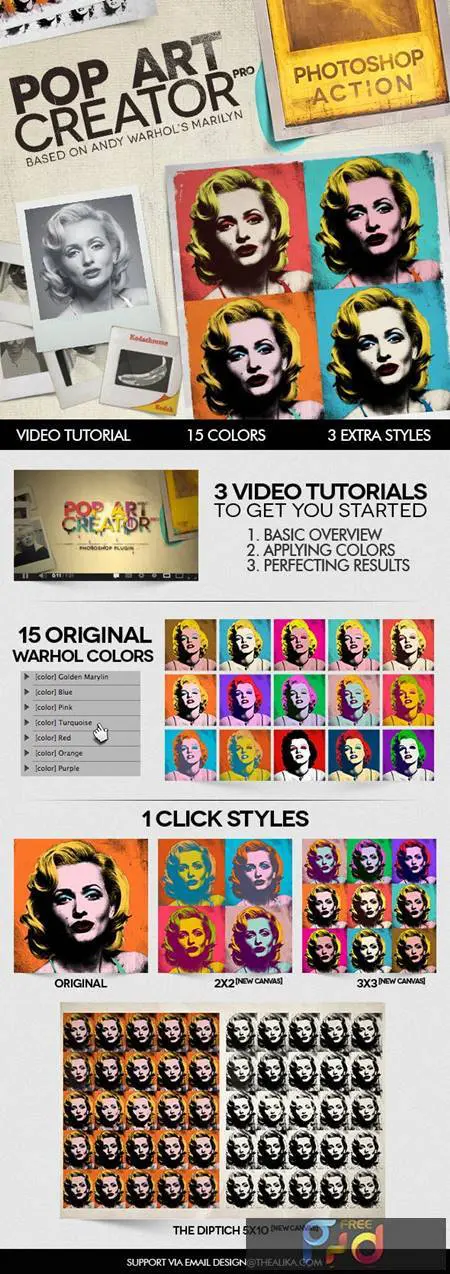
This is closest it comes to recreating Andy Warhol’s Screen Prints
With this Action and .PSD you can transform any photo into a screen printed image, and add 5 colors.
Video Tutorials – 5 minutes each to get the best out of this action
Files Included in the .zip
- POPART Creator PRO V1.1.atn
- POPART Creator PRO.PSD
- Readme.txt
Note: Images used in the preview/video tutorial of presentation are not included in the main file.
More Useful Tips & FAQ
Professional Tips for Pop Art Designs
Creating vibrant, retro-inspired graphics has never been easier. Every digital artist and graphic designer needs a reliable tool to instantly convert standard portraits into comic-style masterpieces. By utilizing a high-quality pop art photoshop action, you save hours of manual halftone shading and color blocking.
- Start with High-Contrast Images: For the most striking comic effect, use portraits with clear lighting and well-defined shadows.
- Adjust the Halftone Patterns: After running the action, tweak the halftone layers to match your desired vintage aesthetic.
- Experiment with Colors: Pop art relies on bold, contrasting palettes. Don’t hesitate to modify the adjustment layers to find the perfect hue combinations.
Frequently Asked Questions
- How do I install the action? Simply double-click the downloaded .atn file, and it will automatically load into your Photoshop Actions panel.
- Is this suitable for beginners? Absolutely! This pop art photoshop action free download is designed with a one-click workflow, making it perfect for both novices and seasoned professionals.


