1809269 Quick Sketch Fast and Reliable Photoshop Action 22307785
Photoshop ABR, Photoshop PAT | 849 Kb
Click on Google Drive logo for Free Download:

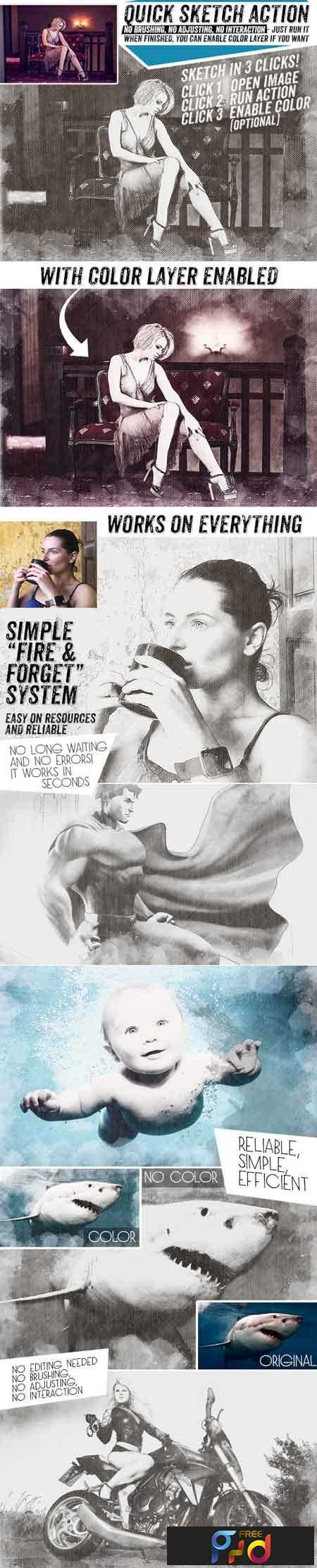
Works in a few seconds. Unlike many similar actions, this one don’t require heavy patterns. There is only a 1Mb of brushes that you’ll install by double-clicking on them (.abr file). This action won’t require any interactions, brushing around, playing with curves or running optional sub-actions. You just open the image, run this action and in a few seconds you’ll have a sketch done! Optionally you can enable red marked layer called “color” if you want your image to be in color. Many similar actions are way too heavy on resources (and give errors often). Most people don’t have the latest and fastest computers and they don’t want their system clogged for minutes while running actions. That’s where this action shines – it just works and it’s easy, fast and simple to use.
How to use Photoshop action:
– Double click on a .abr file to install brush
– Double click on a .atn file to install action
– Open action palette (window/actions) and choose quickSketch action. Click on a small triangle to open it. Click on a “play” button in an actions palette.
– Wait a few seconds to finish
– Optionally enable red marked “Color” layer if you want.